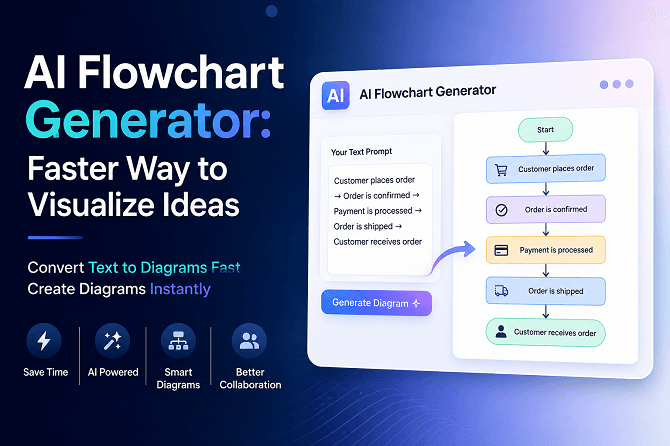
In today’s fast-moving digital world, visual communication has become more important than ever. Whether you are a student, business owner, teacher, marketer, or software developer, diagrams and flowcharts help explain ideas quickly and clearly. However, creating diagrams manually can take a lot of time and effort. That’s where an AI Flowchart Generator changes the game.
Modern AI tools can now transform plain text into structured diagrams within seconds. Instead of spending hours arranging shapes and connections, users can simply describe their ideas and let AI handle the design automatically. An advanced AI Diagram Generator helps users save time, improve productivity, and communicate ideas more effectively.
In this blog, we’ll explore how AI flowchart generators work, their benefits, and why they are becoming essential tools for modern workflows.
What Is an AI Flowchart Generator?
An AI Flowchart Generator is a smart tool that uses artificial intelligence to create diagrams, flowcharts, mind maps, and visual workflows automatically. Users simply enter a text prompt, and the AI converts the information into a clean, organized diagram.
For example, instead of manually creating a workflow for customer support, you can type:
“Customer submits request → support team reviews → issue resolved → feedback collected”
The AI instantly turns this process into a professional flowchart.
These tools are designed to help users Convert Text to Diagrams Fast without requiring advanced design or technical skills.
Why Visual Communication Matters
People understand visuals much faster than plain text. Flowcharts and diagrams simplify complex information and make it easier to:
Explain processes
Plan projects
Present ideas
Teach concepts
Organize workflows
Improve team collaboration
Businesses, schools, and organizations now rely heavily on diagrams for communication because visuals improve understanding and reduce confusion.
How AI Diagram Generators Work
An AI Diagram Generator uses natural language processing (NLP) and machine learning to analyze user input. The system identifies relationships, workflows, and structures from the text and automatically creates a visual representation.
Here’s a simple process:
1. Enter Your Idea
Users type a short description or workflow.
2. AI Analyzes the Text
The system understands connections, sequences, and hierarchy.
3. Diagram Is Generated Automatically
The AI creates shapes, arrows, labels, and layouts instantly.
4. Customize the Design
Users can edit colors, layouts, or add more details if needed.
This automation allows users to Create diagrams instantly with minimal effort.
Benefits of Using an AI Flowchart Generator
1. Saves Time
Traditional diagram software requires manual work, which can be time-consuming. AI tools automate the process and generate diagrams in seconds.
This is especially useful for professionals who manage multiple projects and deadlines.
2. Easy for Beginners
You don’t need graphic design experience to use an AI flowchart tool. Most platforms are beginner-friendly and require only simple text input.
Students, teachers, and non-technical users can quickly generate professional visuals without training.
3. Improves Productivity
An AI-powered diagram tool helps teams work faster by simplifying workflow creation and brainstorming sessions.
Instead of wasting time on formatting, users can focus on ideas and strategy.
4. Better Collaboration
Flowcharts help teams understand processes clearly. AI-generated diagrams make collaboration easier because everyone can visualize the same workflow.
This reduces misunderstandings and improves communication between departments.
5. Creates Professional Designs
Modern AI tools generate clean, organized, and visually appealing diagrams automatically. This improves presentation quality and makes information easier to understand.
Common Uses of AI Flowchart Generators
AI diagram tools are useful across many industries and professions.
Education
Teachers and students use AI-generated diagrams for:
Study notes
Mind maps
Research presentations
Project planning
Business
Companies create:
Workflow diagrams
Organizational charts
Process maps
Strategy plans
Software Development
Developers use AI tools for:
System architecture diagrams
UML diagrams
Database structures
Technical workflows
Marketing
Marketing teams use diagrams to:
Plan campaigns
Visualize customer journeys
Organize content strategies
Why Businesses Prefer AI Diagram Tools
Businesses today need faster and smarter solutions. Traditional diagram software often requires manual setup and advanced editing skills. AI tools simplify the entire process.
An advanced AI Diagram Generator can improve team efficiency by reducing repetitive work and accelerating planning processes.
Companies also benefit from:
Faster project visualization
Improved presentations
Better workflow management
Clearer communication
As remote work continues to grow, AI-powered visual collaboration tools are becoming increasingly valuable.
Features to Look for in an AI Flowchart Generator
When choosing an AI diagram tool, look for these important features:
Text-to-Diagram Conversion
The platform should easily Convert Text to Diagrams Fast using simple prompts.
User-Friendly Interface
A clean and simple dashboard improves usability for beginners.
Customization Options
Users should be able to edit layouts, colors, icons, and shapes.
Export and Sharing
The tool should support exporting diagrams in multiple formats like PNG, PDF, or SVG.
Collaboration Features
Real-time team editing and sharing options improve productivity.
How Correctify AI Helps Users Create Diagrams Faster
CorrectifyAI offers smart AI-powered tools designed to simplify visual content creation. Its intelligent diagram generation system helps users transform ideas into professional visuals within seconds.
Whether you need flowcharts, process maps, or workflow diagrams, CorrectifyAI makes it easier to Create diagrams instantly without technical complexity.
The platform is ideal for:
Students
Educators
Businesses
Developers
Content creators
By automating diagram creation, users can focus more on innovation and productivity.
Future of AI Flowchart Generators
Artificial intelligence continues to evolve rapidly, and diagram generation tools are becoming smarter every year. Future AI systems may include:
Voice-to-diagram creation
Real-time collaboration AI
Smart workflow suggestions
Automated business process optimization
As AI technology improves, creating complex diagrams will become even faster and more accurate.
Businesses and individuals that adopt AI-powered productivity tools early will gain a competitive advantage in communication and workflow efficiency.
Conclusion
AI-powered flowchart tools are transforming the way people organize and present information. Instead of spending hours manually designing workflows, users can now generate professional diagrams in seconds using an AI Diagram Generator.
From education and business to software development and marketing, AI tools help users Convert Text to Diagrams Fast, improve collaboration, and increase productivity.
If you want to Create diagrams instantly and simplify your workflow visualization process, platforms like CorrectifyAI Diagram Generator provide an efficient and user-friendly solution for modern diagram creation.
FAQs
1. What is an AI Flowchart Generator?
An AI Flowchart Generator is a tool that automatically creates flowcharts and diagrams from text prompts using artificial intelligence.
2. Can AI convert text into diagrams?
Yes, modern AI tools can quickly convert written instructions into structured visual diagrams and workflows.
3. Who can use an AI Diagram Generator?
Students, teachers, businesses, developers, marketers, and content creators can all use AI diagram tools.
4. Do I need design skills to create AI diagrams?
No, AI-powered tools are beginner-friendly and help users create diagrams instantly without design experience.
5. Why use AI for flowchart creation?
AI saves time, improves productivity, and helps users visualize ideas faster with clean and professional diagrams.