In today's fast-paced digital workplace, teams rely heavily on visual communication to plan projects, document workflows, design systems, and collaborate effectively. Creating diagrams has become a critical part of business operations, but the way teams build diagrams is rapidly evolving.
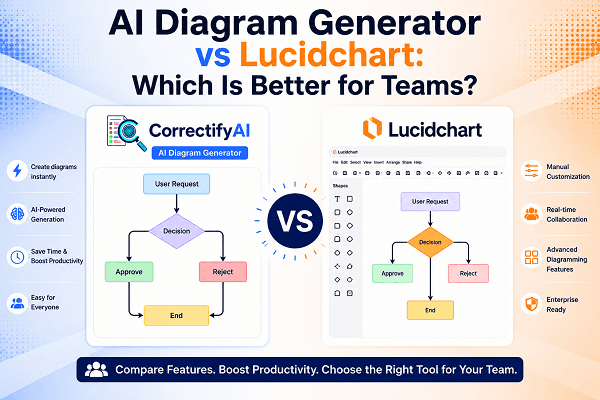
Traditional tools like Lucidchart have long been popular for creating flowcharts, process maps, and organizational diagrams. However, the rise of the AI Diagram Generator is changing how teams work by allowing users to generate professional diagrams automatically from simple text prompts.
So, which option is better for modern teams? In this guide, we'll compare an AI Diagram Generator with Lucidchart and help you determine the best solution for your organization's needs.
What Is an AI Diagram Generator?
An AI Diagram Generator is a tool that uses artificial intelligence to transform text descriptions into visual diagrams. Instead of manually dragging shapes, connecting lines, and formatting layouts, users simply describe what they need, and the AI generates the diagram automatically.
For example, you can type:
"Create a customer support workflow from ticket submission to issue resolution."
Within seconds, the AI can create diagrams instantly, saving valuable time and effort.
Platforms like CorrectifyAI are making diagram creation faster, smarter, and more accessible for teams of all sizes.
What Is Lucidchart?
Lucidchart is a popular cloud-based diagramming platform that allows users to manually create flowcharts, UML diagrams, mind maps, network diagrams, and organizational charts.
The platform offers extensive customization options and collaborative features, making it a trusted choice for businesses, educators, and technical teams.
However, users are still responsible for building and formatting diagrams manually, which can require significant time and effort, especially for complex projects.
AI Diagram Generator vs Lucidchart: Key Differences
1. Speed and Efficiency
One of the biggest advantages of an AI Diagram Generator is speed.
With traditional tools like Lucidchart, users must:
Select shapes
Draw connectors
Organize layouts
Add labels manually
Adjust formatting
This process can take anywhere from several minutes to several hours depending on diagram complexity.
An AI-powered solution like CorrectifyAI can create diagrams instantly from a simple prompt, dramatically reducing creation time and increasing productivity.
Winner: AI Diagram Generator
2. Ease of Use
Lucidchart offers a robust interface, but new users may face a learning curve.
Understanding diagram standards, layouts, and design principles often requires training and experience.
An AI Diagram Generator simplifies the process by allowing users to describe their requirements in natural language.
Instead of learning complex diagramming techniques, users simply explain what they need.
This makes AI-powered diagram generation ideal for:
Project managers
Business analysts
Students
Product teams
Non-technical users
Winner: AI Diagram Generator
3. Customization and Flexibility
Lucidchart excels when it comes to manual customization.
Users can precisely control:
Shapes
Colors
Layouts
Connectors
Branding elements
While modern AI tools offer editable outputs, some organizations may still prefer Lucidchart for highly customized diagrams.
However, many AI platforms now generate diagrams that can be refined after creation, offering the best of both worlds.
Winner: Lucidchart (for advanced customization)
4. Team Collaboration
Both solutions support collaboration, but they approach it differently.
Lucidchart allows multiple users to edit diagrams simultaneously and leave comments directly on diagrams.
AI-powered platforms such as CorrectifyAI help teams move faster by generating the initial structure automatically, enabling team members to focus on refining ideas rather than building diagrams from scratch.
For brainstorming, planning, and documentation, AI can significantly accelerate collaboration.
Winner: Tie
5. Productivity Benefits
Modern organizations are increasingly seeking ways to automate repetitive tasks.
Creating diagrams manually often consumes valuable employee time that could be spent on strategic work.
An AI Diagram Generator helps teams:
Reduce manual effort
Accelerate project planning
Improve documentation workflows
Increase consistency across diagrams
Generate visual content on demand
For teams handling multiple projects, these productivity gains can be substantial.
Winner: AI Diagram Generator
6. Cost Efficiency
Businesses must consider both software costs and employee productivity.
Although Lucidchart offers powerful features, manual diagram creation requires additional time investment.
An AI Diagram Generator can reduce the number of hours spent building diagrams, which often results in greater overall cost savings.
Organizations looking to maximize efficiency may find AI-powered solutions more valuable in the long run.
Winner: AI Diagram Generator
Why Teams Are Choosing CorrectifyAI
As AI continues to transform workplace productivity, more organizations are adopting CorrectifyAI to simplify visual communication.
Key advantages include:
Create diagrams instantly from text prompts
User-friendly interface
Faster workflow documentation
AI-powered automation
Improved team productivity
Reduced diagram creation time
Support for multiple diagram types
Whether you're documenting business processes, mapping customer journeys, or designing system architectures, CorrectifyAI helps teams work smarter and faster.
When Should You Choose Lucidchart?
Lucidchart may still be the preferred option if:
Your team requires extensive manual customization.
You frequently create highly detailed technical diagrams.
You need complete design control over every diagram element.
Your organization already has established Lucidchart workflows.
For specialized use cases, Lucidchart remains a powerful diagramming platform.
When Should You Choose an AI Diagram Generator?
An AI Diagram Generator is ideal when:
Speed is a priority.
You want to create diagrams instantly.
Team members are not diagramming experts.
You need rapid workflow visualization.
You want to improve productivity through automation.
You need diagrams generated from simple text descriptions.
For most modern teams, AI-powered diagram generation offers a more efficient and scalable approach.
Conclusion
The comparison between an AI Diagram Generator and Lucidchart ultimately comes down to how your team works.
Lucidchart remains a strong choice for organizations that need extensive customization and manual design control. However, for teams focused on speed, efficiency, and automation, an AI Diagram Generator offers a significant advantage.
With solutions like CorrectifyAI, businesses can create diagrams instantly, reduce manual work, improve collaboration, and accelerate project execution. As AI technology continues to evolve, diagram creation is becoming faster, smarter, and more accessible than ever before.
For teams looking to streamline workflows and boost productivity, adopting an AI-powered diagram solution may be the smartest move in 2026 and beyond.
FAQs
1. What is an AI Diagram Generator?
An AI Diagram Generator is a tool that converts text descriptions into visual diagrams automatically using artificial intelligence.
2. Can an AI Diagram Generator create diagrams instantly?
Yes, AI-powered tools can create diagrams instantly from simple text prompts, saving time and reducing manual work.
3. Is an AI Diagram Generator better than manual diagramming tools?
For speed and ease of use, an AI Diagram Generator is often better, while manual tools may offer more advanced customization options.
4. What types of diagrams can AI generate?
AI can generate flowcharts, process maps, UML diagrams, organizational charts, system architecture diagrams, and more.
5. Why choose CorrectifyAI for diagram creation?
CorrectifyAI helps users create diagrams instantly, improve productivity, and simplify visual communication with AI-powered automation.