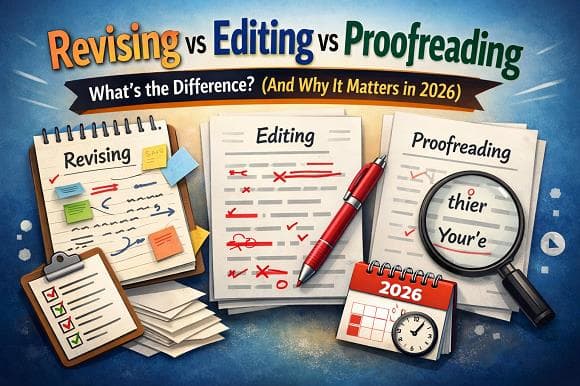
In 2026, high-quality content still wins - whether you're publishing blog posts, academic papers, marketing copy, or AI-assisted articles. Yet many writers (and even some professionals) blur the lines between revising, editing, and proofreading.
These are three distinct stages in the writing process. Mixing them up wastes time, leaves major issues unnoticed, or creates over-polished but structurally weak text.
Understanding the clear differences between revising, editing, and proofreading helps you produce sharper, more professional, and search-engine-friendly content faster.
In this guide, we'll break down each stage, show real-world examples, compare them side-by-side, and explain how to use all three effectively - especially when you're working with AI-generated drafts.
What Is Revising? (The Big-Picture Stage)
Revising (also called revision) is the first major refinement step after you finish your first draft.
Focus: Content, structure, argument, flow, and overall effectiveness.
During revision you ask high-level questions:
Does the piece achieve its purpose (to inform, persuade, entertain, sell)?
Is the main thesis / key message clear and strongly supported?
Is the logical flow natural? Do ideas progress in the best order?
Are there gaps, redundancies, or off-topic sections?
Is the tone consistent and appropriate for the audience?
Does the introduction hook readers and does the conclusion deliver closure?
Revision often involves big changes:
Reordering sections or entire chapters
Cutting large chunks of text
Adding new paragraphs, examples, data, or counter-arguments
Rewriting weak sections completely
Strengthening transitions between ideas
Example of revision in action Original blog structure:
Introduction
History of AI detectors
Features of CorrectifyAI
Why AI content gets penalized
Conclusion
After revision:
Introduction (stronger hook + thesis)
Why Google penalizes AI content in 2026
How modern AI detectors actually work
CorrectifyAI's unique advantages (with proof)
Step-by-step: humanizing content safely
Conclusion + CTA
What Is Editing? (The Sentence & Style Stage)
Editing comes after you've revised the big picture and are satisfied with the content and organization.
Focus: Clarity, conciseness, readability, style, tone, word choice, sentence structure, and flow at the paragraph and sentence level.
Editing improves how ideas are expressed without changing what the ideas are.
Common editing tasks:
Eliminate wordiness and redundancy
Improve sentence variety (mix short & long sentences)
Fix awkward phrasing and improve rhythm
Strengthen weak verbs and cut filler words
Ensure consistent voice (active vs passive where appropriate)
Improve transitions between sentences and paragraphs
Adjust tone for audience (formal, conversational, authoritative)
Enhance clarity - make complex ideas easier to understand
Check paragraph unity (one main idea per paragraph)
Example before & after editing Before (wordy): "It is important to note that many individuals who are currently utilizing AI writing tools frequently tend to produce content that can be easily identified as being machine-generated."
After editing: "Most people using AI writing tools still produce easily detectable machine-generated content."
Editing polishes the language so readers stay engaged and understand your message instantly.
What Is Proofreading? (The Final Polish Stage)
Proofreading is the very last step - done only after revising and editing are complete.
Focus: Surface-level errors - catching anything that distracts from professionalism.
Proofreading does not improve style, clarity, or structure. It only fixes:
Spelling mistakes
Grammar errors
Punctuation issues (commas, semicolons, apostrophes)
Typos and wrong words (e.g., "affect" vs "effect")
Capitalization errors
Formatting inconsistencies (bullet styles, heading levels)
Missing or extra spaces
Incorrect or inconsistent abbreviations
Reference / citation formatting errors
Example proofreading catches
"Your AI detector tool preforms well" → "performs"
"Its a powerful humanizer" → "It's"
Inconsistent capitalization: "ai detector" vs "AI Detector"
Missing Oxford comma in lists
Proofreading requires fresh eyes - many professionals print the document or change font/size to spot errors more easily.
Revising vs Editing vs Proofreading: Side-by-Side Comparison (2026)
Aspect | Revising | Editing | Proofreading |
When it happens | After first draft | After major revisions | After editing (final pass) |
Main focus | Content, structure, argument | Language, clarity, style, flow | Surface errors only |
Level of change | Large (reorganize, rewrite, cut/add) | Medium (sentence & paragraph level) | Small (correct mistakes) |
Questions asked | Is the message strong & logical? | Is it clear, concise & engaging? | Is it error-free? |
Typical changes | Reorder sections, add/delete ideas | Rephrase sentences, improve flow | Fix typos, grammar, punctuation |
Impact on word count | Can increase or decrease a lot | Usually small decrease | Almost no change |
Tools that help | Outlines, reverse outlining | Readability checkers, style guides | Grammar tools, spell-check |
AI tool alignment | Human judgment needed | AI humanizer + grammar checker | Grammar & fact checker |
Why the Order Matters: Revising → Editing → Proofreading
Trying to proofread before revising is like detailing a car that still has a broken engine - wasted effort.
Correct sequence:
Revise for ideas and structure (biggest impact on quality)
Edit for clarity and style (makes writing professional)
Proofread for polish (prevents credibility damage)
Skipping steps or doing them out of order often leads to:
Fixing grammar in paragraphs that later get deleted
Perfecting sentences that don’t support the main point
Publishing structurally weak but error-free content
Special Note for 2026: Applying This to AI-Generated Content
AI tools create first drafts quickly - but they frequently produce:
Logical gaps (needs revision)
Repetitive phrasing and robotic tone (needs editing / humanizing)
Minor grammar inconsistencies (needs proofreading)
Smart workflow using CorrectifyAI:
Generate draft → Revise structure & arguments manually
Run through AI Humanizer + Readability Checker → edit for natural flow
Use Grammar Checker + AI Detector → final polish & verification
Run Proofreading pass (or Grammar + Fact Checker combo)
This sequence produces content that ranks better, engages readers longer, and passes AI detectors reliably.
Final Thoughts
Revising, editing, and proofreading are not interchangeable - each serves a unique purpose in creating high-quality writing.
Revising builds the strong foundation
Editing makes the writing smooth and engaging
Proofreading delivers the professional finish
Master these three stages and your content - whether human-written or AI-assisted - will stand out in 2026's crowded digital landscape.