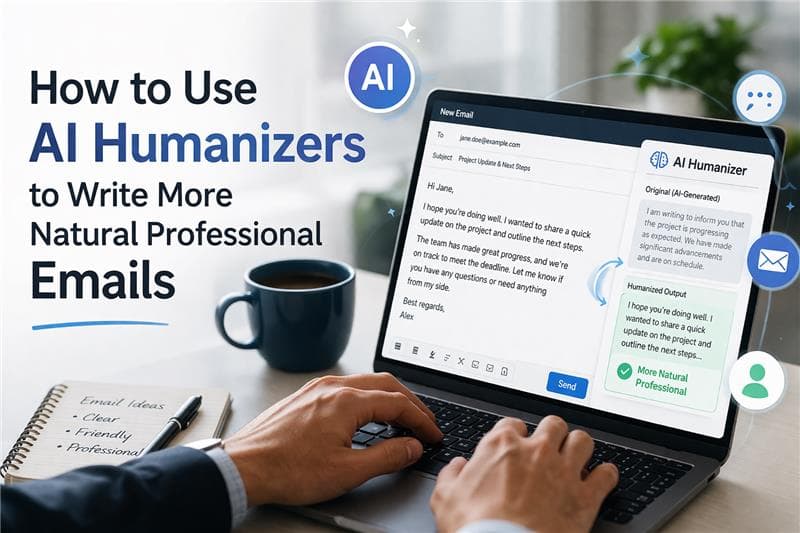
In the modern digital workplace, efficiency is king. Professionals are increasingly turning to Artificial Intelligence to keep up with overflowing inboxes and demanding outreach schedules. However, a significant challenge has emerged: AI-generated text often feels cold, repetitive, and "robotic." If your recipient senses they are reading a generic script from a machine, trust and engagement drop instantly.
This is where the concept of an AI Humanizer becomes essential. By learning how to use AI humanizers to write more natural professional emails, you can maintain the speed of automation while keeping the warmth and nuance of human connection.
Why "Robotic" Emails Are Failing in Business
When you use standard LLMs (Large Language Models) like ChatGPT or Claude to draft an email, they often rely on predictable patterns. They use phrases like "I hope this email finds you well" or "In today’s fast-paced environment" far too frequently.
For professional publishers, marketers, and job seekers, these patterns are red flags. Not only do they risk being flagged by AI content detectors, but they also fail to build rapport. A "natural" email is one that reflects a specific voice, acknowledges context, and feels like it was written by a person with a purpose.
The Role of an AI Humanizer in Professional Writing
An AI humanizer is a specialized tool - like those found on CorrectifyAI - designed to take machine-generated drafts and refine them. These tools don't just swap words for synonyms; they restructure sentences, vary the length of phrases, and inject a more "human" perplexity and burstiness into the text.
The goal isn't to deceive, but to ensure your message is clear, relatable, and professional without the mechanical stiffness of a first-draft AI response.
Step-by-Step Guide: Writing Natural Emails with AI
To get the most out of your AI tools, follow this workflow to ensure your professional communication remains authentic.
1. Start with a Specific Prompt
The "robotics" of an email often starts at the prompt level. Instead of saying "Write a follow-up email," be specific. Mention the tone (e.g., "brief and casual but professional") and the specific context of your last interaction. The more data you give the AI, the less it has to rely on generic filler.
2. Run the Draft Through an AI Checker
Before sending, check if your content feels machine-made. Using an AI content detector helps you identify which parts of your email are too predictable. If the tool shows a high "AI score," you know that your recipient’s internal "BS meter" will likely go off too.
3. Apply AI Humanization
Use an AI Humanizer tool to transform the draft. This process focuses on:
Sentence Variation: Mixing short, punchy sentences with longer, descriptive ones.
Tone Adjustment: Removing overly formal or "stiff" language that real people rarely use.
Active Voice: Converting passive, clunky phrases into direct, engaging language.
4. Verify Accuracy and Facts
AI can sometimes "hallucinate" or provide outdated information. Use a Fact Checker tool to ensure that any dates, statistics, or references in your professional email are 100% accurate. Accuracy is a hallmark of human professionalism.
Key Benefits of Humanizing Your Professional Outreach
Improving Deliverability and Trust
Email providers are becoming more sophisticated at filtering spam. Highly repetitive, AI-patterned emails can sometimes be flagged by spam filters. By humanizing your content, you ensure your emails land in the primary inbox. More importantly, you build trust with the recipient, who is more likely to reply to a message that feels personal.
Enhancing Readability and Flow
Professional emails should be easy to scan. AI humanizers often improve the readability score of a text, breaking down complex jargon into clear, professional English. This is especially helpful if you are writing to a global audience where English may be a second language.
Safeguarding Your Reputation
For agencies and publishers, maintaining a "human" brand is vital. If a client realizes all your communication is unedited AI output, it devalues your expertise. Using a humanizer ensures that every touchpoint reflects your high editorial standards.
Best Practices for Natural AI Emails
Avoid Over-Optimization: Don't let the AI use too many "power words." Real professionals speak clearly, not just impressively.
Personalize the P.S.: One of the best ways to humanize an email is to add a postscript (P.S.) that mentions a specific detail about the recipient that an AI wouldn't know.
Check for Plagiarism: Even if AI wrote it, it could occasionally mirror existing web content too closely. Always run a quick Plagiarism Scan to ensure your professional communication is original.
Conclusion: The Future of Professional Communication
The goal of using AI in 2026 isn't to replace the human element, but to enhance it. By utilizing tools like the AI Content Checker and AI Humanizer on platforms like CorrectifyAI, you can bridge the gap between efficiency and authenticity.
Writing professional emails in English no longer has to be a time-consuming chore or a robotic exercise. With the right balance of AI assistance and human-centric refining, your communication will be more effective, more trusted, and ultimately, more successful.
Frequently Asked Questions (FAQ)
What is an AI Humanizer?
An AI Humanizer is a software tool that rewrites AI-generated text to make it sound more like a human wrote it. It adjusts the tone, sentence structure, and vocabulary to remove the "robotic" patterns typical of AI.
Will using an AI Humanizer help me bypass AI detectors?
Yes, most humanizers are specifically designed to change the linguistic patterns that AI detectors look for, making the content appear "human-written" to tools like Originality.ai or GPTZero.
Is it "cheating" to use AI for professional emails?
Not at all. Think of it as an advanced grammar and style assistant. The ideas and goals are yours; the AI simply helps you articulate them more efficiently.
How do I make my AI emails more personal?
Beyond using a humanizer, you should manually add specific details, such as a reference to a recent project, a mutual connection, or a specific question that shows you’ve done your research.
Can I use these tools for free?
Many platforms, including CorrectifyAI, offer Free AI Tools like grammar checkers and basic humanizers to help you get started with improving your professional writing.