Clean Up Your Content Instantly with CorrectifyAI
Have you ever copied text from a website, Microsoft Word document, PDF, email, or AI-generated content only to find strange spacing, inconsistent formatting, or hidden characters ruining your work? You're not alone.
Extra spaces and hidden formatting are among the most common issues content creators, students, marketers, developers, and business professionals face every day. These invisible formatting problems can make your content look unprofessional, affect readability, and even create SEO issues when publishing online.
Fortunately, removing unwanted spaces and hidden formatting doesn't have to be a frustrating task. With the right text cleaning tools, you can quickly transform messy content into clean, polished, and professional text.
In this guide, we'll explain what hidden formatting is, why it matters, and how you can easily clean your content using the free text cleaning tools available at CorrectifyAI.
What Are Extra Spaces and Hidden Formatting?
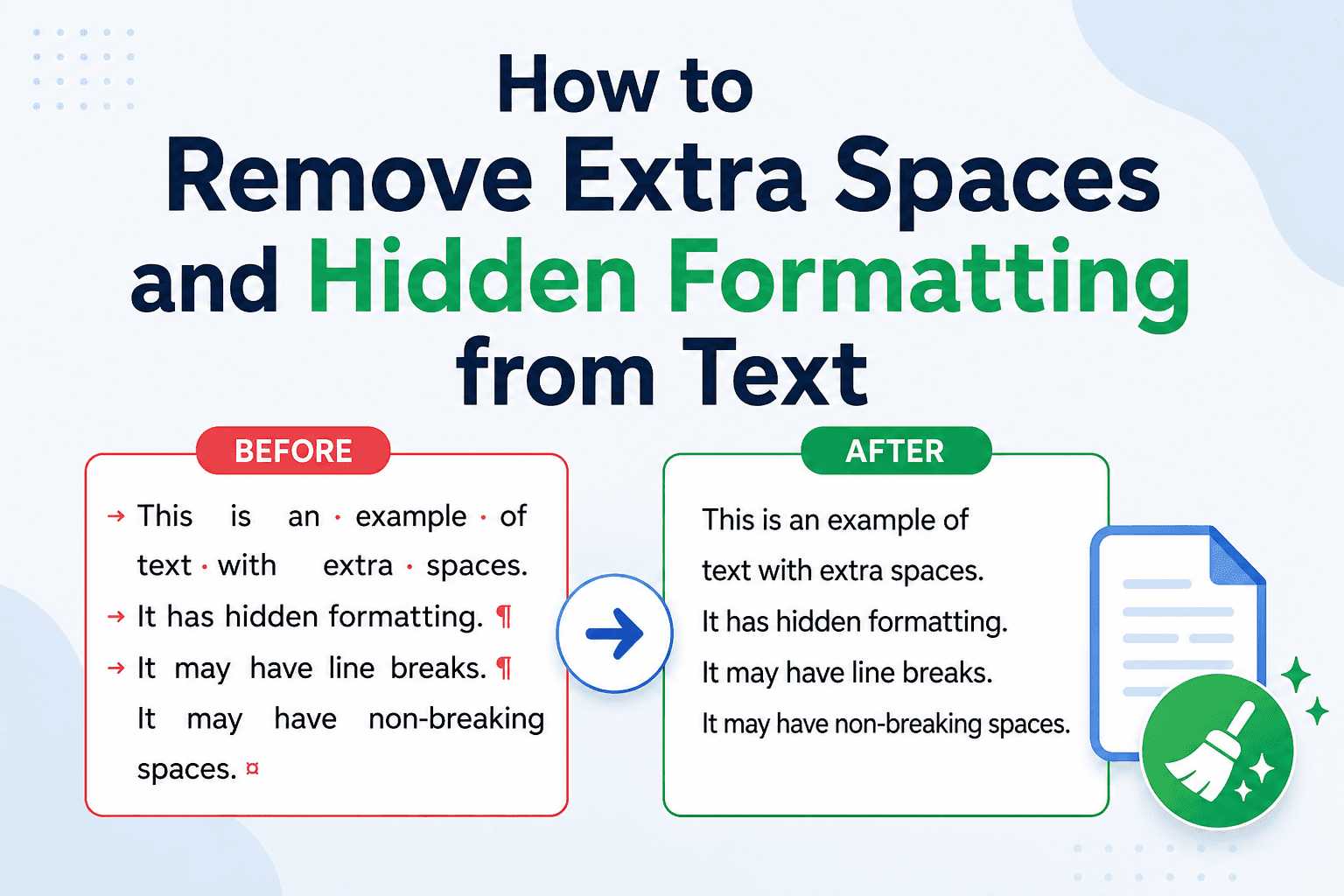
Extra spaces are unnecessary blank spaces that appear before, after, or between words and sentences. Hidden formatting refers to invisible characters and formatting codes that are often copied along with text from various sources.
Common examples include:
Multiple consecutive spaces between words
Extra line breaks and blank lines
Hidden tabs
Non-breaking spaces
Formatting copied from Microsoft Word
HTML formatting remnants
Invisible Unicode characters
Extra paragraph breaks
These issues may not always be visible at first glance, but they can affect how your content appears across websites, documents, emails, and social media platforms.
How Hidden Formatting Gets Into Your Text
Most formatting problems occur when content is copied and pasted from external sources.
Copying from Websites
Web pages often contain HTML formatting, special characters, and hidden styling elements. When copied, these elements may create irregular spacing and formatting issues.
Copying from Microsoft Word
Word documents store extensive formatting information. Pasting content into a website editor may transfer unnecessary styles and hidden codes.
Copying from PDFs
PDF files frequently introduce random line breaks, spacing issues, and formatting inconsistencies when text is extracted.
AI-Generated Content
AI-generated content can sometimes include inconsistent spacing, unusual line breaks, or formatting that requires cleanup before publishing.
Email Content
Email clients often add hidden formatting and spacing that becomes visible when content is pasted elsewhere.
Why Cleaning Text Matters
Many people underestimate the impact of clean formatting. However, properly formatted text provides several important benefits.
Improved Readability
Readers prefer content that is clean, organized, and easy to scan. Excessive spaces and formatting errors can make even high-quality content difficult to read.
Better User Experience
Professional formatting creates a positive impression and helps users focus on your message rather than distracting visual inconsistencies.
SEO Benefits
Search engines prioritize user experience. While extra spaces may not directly affect rankings, poor formatting can increase bounce rates and reduce engagement.
Clean content helps:
Improve readability
Increase time on page
Enhance content quality
Support better user engagement metrics
Easier Collaboration
When sharing content with teams, editors, or clients, clean text ensures everyone works with a consistent and professional document.
Common Problems Caused by Extra Spaces
Many users don't realize how much time formatting issues can be wasted.
Some common problems include:
Uneven Paragraphs
Multiple spaces can create awkward gaps that make content appear inconsistent.
Broken Website Layouts
Hidden formatting may conflict with website styles and create display issues.
Social Media Formatting Errors
Platforms like LinkedIn, Facebook, and X may display copied text differently due to hidden characters.
Data Processing Issues
Developers working with datasets often encounter formatting problems that affect data accuracy and processing.
Content Publishing Delays
Editors frequently spend unnecessary time manually cleaning content before publication.
How to Remove Extra Spaces and Hidden Formatting
There are several ways to clean your text.
Manual Cleanup
You can manually remove extra spaces using text editors like Notepad or Word.
However, this approach can be time-consuming, especially for large documents.
Find and Replace
Many word processors offer find-and-replace functionality to eliminate repeated spaces and formatting issues.
While useful, it may not catch all hidden characters.
Use a Text Cleaning Tool
The fastest and most reliable method is using a dedicated text cleaning tool.
A professional text cleaner automatically removes:
Extra spaces
Duplicate line breaks
Hidden formatting
Unwanted tabs
Invisible characters
Formatting inconsistencies
This saves significant time and ensures your content is ready for publication.
Clean Your Text Faster with CorrectifyAI
At CorrectifyAI, we've developed a powerful and easy-to-use Text Cleaner tool designed to help users instantly remove unwanted formatting issues.
Whether you're a:
Content writer
SEO specialist
Blogger
Student
Developer
Digital marketer
Business professional
Our free tool can help you transform messy content into clean, publication-ready text within seconds.
Key Benefits of CorrectifyAI Text Cleaner
Remove extra spaces instantly
Eliminate hidden formatting
Clean copied content from Word and PDFs
Improve content readability
Save editing time
Prepare content for websites and social media
100% free to use
Best Practices for Clean Content Formatting
To maintain professional-quality content, follow these simple guidelines.
Review Before Publishing
Always preview your content before publishing to ensure formatting appears correctly.
Use Plain Text When Possible
Pasting content into a plain text editor first can remove unwanted formatting.
Check for Invisible Characters
Formatting issues aren't always visible, so use a text cleaner to identify hidden problems.
Standardize Formatting
Maintain consistent spacing, paragraph lengths, and heading structures throughout your content.
Use Reliable Text Cleaning Tools
Automated tools provide faster and more accurate results than manual editing.
Who Benefits from Text Cleaning Tools?
Text cleaning tools are valuable for many industries and professions.
Bloggers
Prepare articles for publication without formatting issues.
SEO Professionals
Create clean, optimized content that improves user experience.
Students
Submit professional assignments and research documents.
Developers
Clean datasets, code snippets, and documentation.
Content Marketers
Ensure consistent formatting across campaigns and platforms.
Business Teams
Improve document quality and internal communication.
Final Thoughts
Extra spaces and hidden formatting may seem like minor issues, but they can significantly impact readability, professionalism, and workflow efficiency.
Whether you're publishing a blog post, creating marketing content, preparing a report, or cleaning AI-generated text, removing formatting inconsistencies is an essential step.
Instead of spending valuable time fixing spacing problems manually, use the free Text Cleaner tool from CorrectifyAI to instantly clean and optimize your content.
Clean text creates a better reading experience, improves content presentation, and helps you focus on what matters most - delivering value to your audience.
Start cleaning your text today with CorrectifyAI and experience the difference professional formatting can make.
FAQs
What is hidden formatting in text?
Hidden formatting includes invisible characters such as tabs, extra spaces, non-breaking spaces, and formatting codes that are copied from websites, PDFs, emails, or word processors.
Why should I remove extra spaces from my content?
Removing extra spaces improves readability, professionalism, and overall user experience while making content easier to publish and share.
Can hidden formatting affect SEO?
While hidden formatting doesn't directly impact rankings, poor formatting can reduce readability and user engagement, which may indirectly affect SEO performance.
What is the easiest way to clean copied text?
Using a dedicated text cleaning tool like CorrectifyAI's Text Cleaner is the fastest and most effective solution.
Is CorrectifyAI Text Cleaner free?
Yes, CorrectifyAI offers a free Text Cleaner tool that helps users remove extra spaces, hidden formatting, and unwanted characters instantly.