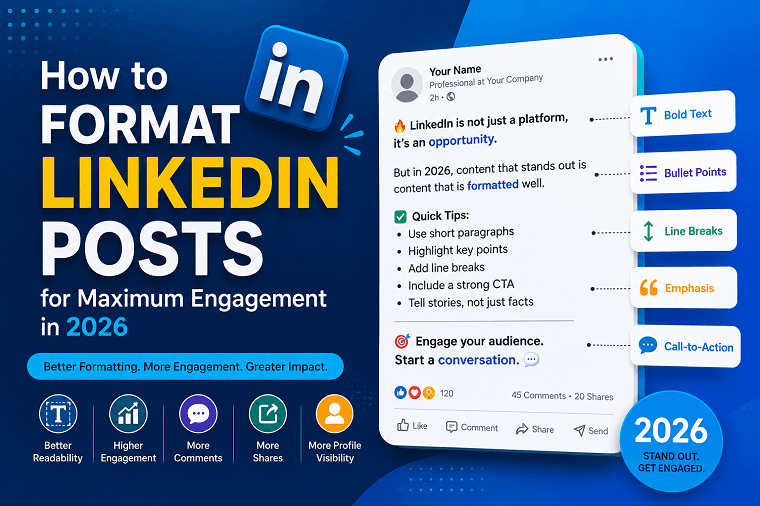
LinkedIn continues to be one of the most powerful platforms for professionals, business owners, marketers, and job seekers. With millions of users sharing content daily, standing out in the feed has become more challenging than ever. In 2026, creating valuable content alone is not enough - you also need proper formatting to capture attention and encourage engagement.
A well-formatted LinkedIn post improves readability, keeps users interested, and increases the likelihood of likes, comments, shares, and profile visits. Whether you're building a personal brand, generating leads, or growing a business presence, understanding LinkedIn post formatting can make a significant difference.
In this guide, you'll learn how to format LinkedIn posts for maximum engagement and how a LinkedIn Text Formatter can help make your content more attractive and professional.
Why LinkedIn Post Formatting Matters
Most LinkedIn users scroll through their feeds quickly. If your content appears as a large block of text, users are more likely to skip it. Proper formatting helps break up information into digestible sections, making it easier to read and understand.
Benefits of proper LinkedIn formatting include:
Increased post readability
Higher engagement rates
Better content retention
Improved user experience
More profile visibility
Enhanced professional appearance
Formatting can often be the difference between a post that gets ignored and one that sparks meaningful conversations.
Start with a Strong Hook
The first two or three lines of your LinkedIn post are critical. LinkedIn typically truncates longer posts, requiring users to click "See More" to continue reading.
To encourage users to expand your content:
Ask a thought-provoking question
Share a surprising statistic
Present a bold statement
Highlight a common problem
Example:
Poor Hook:
"I wanted to share some thoughts about networking."
Better Hook:
"Most professionals are networking the wrong way - and it's costing them opportunities."
A compelling opening increases the chances of users engaging with your content.
Use Short Paragraphs
Large paragraphs can overwhelm readers, especially on mobile devices. Instead, keep paragraphs short and concise.
Best Practices:
Use 1-3 sentences per paragraph
Add white space between sections
Avoid lengthy blocks of text
Focus on one idea per paragraph
Short paragraphs improve readability and encourage users to continue scrolling through your content.
Incorporate Bullet Points
Bullet points help organize information and make important details easier to scan.
For example:
Benefits of Formatting LinkedIn Posts:
• Improves readability
• Increases engagement
• Enhances content structure
• Highlights key information
• Encourages users to read longer posts
Bullet points are particularly effective when sharing tips, lessons, or step-by-step instructions.
Use Bold and Styled Text Strategically
Although LinkedIn does not natively support bold or italic formatting, creators often use Unicode characters generated through a LinkedIn Text Formatter to emphasize important words and phrases.
Examples include:
Important takeaways
Key statistics
Headlines
Calls-to-action
However, moderation is essential. Overusing formatted text can make your post look cluttered and difficult to read.
The goal is to draw attention to specific information rather than styling every sentence.
Add Clear Section Breaks
Long-form LinkedIn posts perform better when content is divided into logical sections.
You can use:
Empty lines
Dashes
Symbols
Numbered lists
Example:
Lesson #1
Focus on value before promotion.
Lesson #2
Consistency beats perfection.
These visual breaks make content easier to consume and improve the overall reading experience.
Tell Stories Instead of Sharing Facts
Storytelling remains one of the most effective engagement strategies on LinkedIn.
Instead of presenting facts alone, connect them to real experiences.
Example:
Instead of:
"Personal branding is important."
Try:
"Three years ago, I struggled to get responses from potential clients. After consistently sharing insights on LinkedIn, my visibility increased dramatically and opportunities started coming naturally."
Stories create emotional connections and encourage readers to engage with your content.
Optimize Post Length
There is no perfect LinkedIn post length, but high-performing posts often provide enough value without overwhelming readers.
General Guidelines:
Short updates: 50–150 words
Educational posts: 300–800 words
Thought leadership posts: 500–1,200 words
The key is maintaining reader interest throughout the post.
If every sentence adds value, users are more likely to stay engaged until the end.
Use a Call-to-Action (CTA)
A strong call-to-action encourages interaction and helps increase engagement signals.
Examples include:
What do you think?
Have you experienced this?
What's your biggest challenge?
Share your opinion below.
Agree or disagree?
Simple questions often generate meaningful conversations and improve post performance.
Leverage a Free LinkedIn Text Formatter Tool
Creating visually appealing LinkedIn content manually can be time-consuming. A Free LinkedIn Text Formatter Tool helps simplify the process by converting plain text into styled formats that stand out in the feed.
Advantages include:
Quick formatting
Professional appearance
Enhanced readability
Better content presentation
Time-saving workflow
Whether you're creating personal branding content, marketing posts, or professional updates, using a formatting tool can help improve content quality and consistency.
Common LinkedIn Formatting Mistakes to Avoid
Many creators unknowingly reduce engagement through poor formatting practices.
Avoid these common mistakes:
1. Using Large Text Blocks
Dense paragraphs discourage reading.
2. Overusing Emojis
A few emojis can enhance readability, but excessive use may appear unprofessional.
3. Excessive Bold Formatting
Too much styled text can distract readers from your message.
4. Weak Openings
If your first few lines fail to capture attention, users may continue scrolling.
5. Missing CTAs
Without a clear next step, users are less likely to interact with your content.
By avoiding these mistakes, you can create more engaging and professional LinkedIn posts.
LinkedIn Formatting Trends in 2026
Content trends continue evolving, and successful creators are adapting their formatting strategies accordingly.
Popular trends include:
Conversational writing style
Short, mobile-friendly paragraphs
Educational carousel content
Story-driven posts
Strategic use of formatted text
Audience-focused calls-to-action
The LinkedIn algorithm increasingly rewards content that keeps users engaged and encourages meaningful interactions.
As a result, readability and user experience have become more important than ever.
Conclusion
Formatting is no longer an optional part of LinkedIn content creation - it is a key factor in driving engagement, improving readability, and increasing visibility. By using strong hooks, short paragraphs, section breaks, bullet points, storytelling, and clear calls-to-action, you can significantly improve the performance of your posts.
Additionally, a reliable LinkedIn Text Formatter can help you create visually appealing content that stands out in crowded feeds. If you're looking for an easy way to enhance your LinkedIn posts, the formatting solutions available through correctifyai can help streamline your content creation process and support stronger engagement results in 2026.