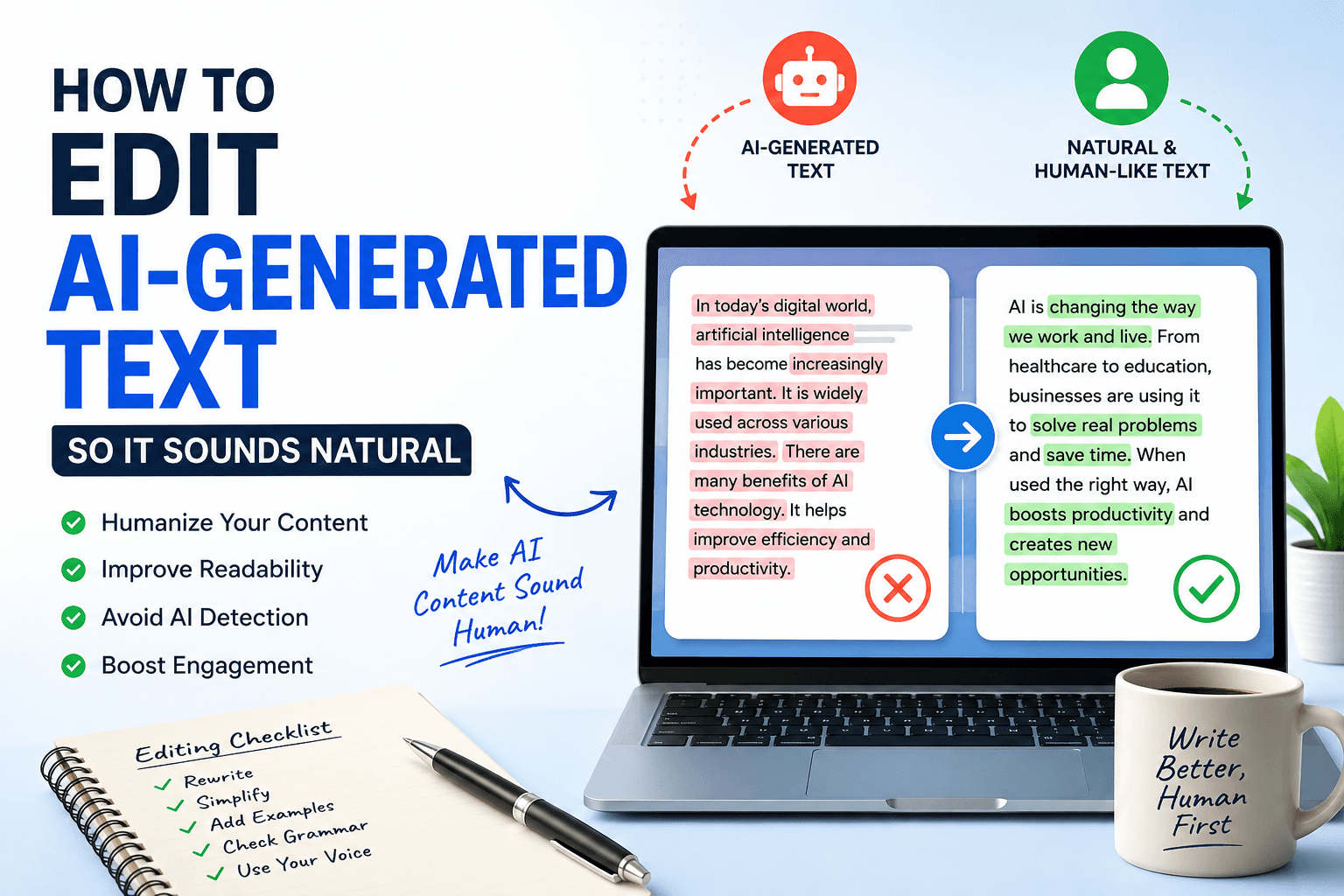
Artificial intelligence has changed the way students, bloggers, marketers, and professionals create content. AI writing tools can generate essays, articles, emails, and reports within seconds, saving valuable time and effort. However, while AI-generated content is fast and convenient, it often lacks the natural tone, creativity, and personal touch that readers expect.
Whether you're submitting a college assignment, publishing a blog, or preparing professional documents, editing AI-generated text is essential. Proper editing makes your content more engaging, improves readability, and reduces the chances of sounding robotic.
In this guide, you'll learn practical techniques to transform AI-generated content into writing that feels authentic and human.
Why AI-Generated Content Sounds Robotic
Although AI has become incredibly advanced, it still follows patterns based on the data it has learned. As a result, AI-generated content often includes:
Repetitive sentence structures
Generic vocabulary
Overused transition words
Predictable phrasing
Lack of personal examples
Unnatural flow between paragraphs
Readers can often recognize these patterns, making the content feel less trustworthy or engaging.
Step 1: Read the Entire Content Before Editing
The first step is to read the complete article without making changes.
Ask yourself:
Does it sound like something a real person would write?
Are any paragraphs repetitive?
Does the writing flow naturally?
Are there unnecessary words?
Understanding the overall structure makes editing much easier.
Step 2: Rewrite Repetitive Sentences
One of the biggest giveaways of AI-written content is repetition.
Instead of repeating the same sentence patterns, vary your writing style.
Example
AI Version
AI writing saves time. AI writing improves productivity. AI writing helps students.
Natural Version
AI writing tools help users complete tasks faster while improving productivity and making academic work more manageable.
Using different sentence lengths also makes your content easier to read.
Step 3: Replace Generic Words
AI often uses words like:
Furthermore
Moreover
Additionally
Therefore
Consequently
While these words are correct, using them too often makes writing sound mechanical.
Instead, try:
Also
Plus
Another benefit is
For example
In fact
On the other hand
Simple language creates a more conversational tone.
Step 4: Add Personal Examples
Readers connect with experiences more than generic statements.
Instead of saying:
AI improves writing.
Try:
I used AI to draft a research paper, but after adding personal examples and simplifying the language, it became much more engaging and easier to understand.
Real-world examples increase credibility and improve user engagement.
Step 5: Break Long Paragraphs
AI tends to generate large blocks of text.
Long paragraphs make reading difficult, especially on mobile devices.
For better readability:
Keep paragraphs between 2–4 sentences.
Use headings every few hundred words.
Add bullet points where appropriate.
Include numbered steps for tutorials.
This improves both user experience and SEO.
Step 6: Remove Unnecessary Words
AI frequently adds filler phrases such as:
It is important to note that...
In today's digital world...
Without a doubt...
As previously mentioned...
Removing these phrases makes your writing more concise and impactful.
Always aim for clarity over word count.
Step 7: Add Your Own Voice
AI provides a great starting point, but your personality makes content memorable.
Consider adding:
Personal opinions
Practical advice
Industry experience
Original insights
Case studies
Readers appreciate unique perspectives that AI alone cannot provide.
Step 8: Check Grammar and Formatting
Even high-quality AI content can contain grammar issues or inconsistent formatting.
Before publishing, review:
Grammar mistakes
Spelling errors
Capitalization
Punctuation
Sentence structure
Heading hierarchy
Using a reliable proofreading solution like correctifyai helps ensure your content is polished, professional, and ready for submission or publication.
Step 9: Review with an AI Content Detector Tool
Many schools, publishers, and businesses evaluate content using an AI Content Detector tool. While no detector is perfect, reviewing your writing with one can help identify sections that appear overly machine-generated.
If large portions of your text are flagged:
Rewrite those paragraphs in your own words.
Add original examples.
Use varied sentence structures.
Replace repetitive vocabulary.
Include personal observations where appropriate.
The goal isn't to "trick" detection systems. Instead, it's to improve the quality, authenticity, and originality of your writing.
Common Mistakes When Editing AI Content
Avoid these common editing mistakes:
Only changing a few words
Ignoring repetitive phrases
Keeping long, complicated sentences
Using too many transition words
Forgetting to fact-check information
Publishing without proofreading
Effective editing focuses on improving clarity, accuracy, and readability.
Benefits of Editing AI-Generated Content
Taking a few extra minutes to edit AI-generated text offers several advantages:
Improves readability
Makes writing sound more human
Enhances audience engagement
Builds trust with readers
Creates a stronger personal writing style
Reduces repetitive language
Produces more polished academic and professional content
High-quality editing also supports better SEO by improving user experience and increasing the likelihood that readers stay on your page longer.
Why CorrectifyAI Can Help
Editing content manually takes time, especially for students and busy professionals.
With correctifyai, you can quickly identify grammar mistakes, clean up formatting issues, and improve the overall readability of your writing before publishing or submitting it. Whether you're reviewing essays, reports, blog posts, or business documents, having an extra proofreading step helps ensure your work looks polished and professional.
Combining your own editing skills with helpful writing tools leads to content that feels more natural and communicates your ideas effectively.
Final Thoughts
AI writing tools are excellent assistants, but they shouldn't replace thoughtful editing. The best content combines AI's efficiency with human creativity, critical thinking, and personal experience.
By rewriting repetitive sections, simplifying language, adding original insights, checking grammar, and reviewing your work with an AI Content Detector tool, you can create content that readers genuinely enjoy.
Remember, AI should help you write faster - not replace your unique voice. With careful editing and support from tools like correctifyai, you can produce natural, engaging, and professional content that stands out.
Frequently Asked Questions
1. Why does AI-generated text sound robotic?
AI often follows predictable writing patterns, repeats phrases, and lacks personal experiences, making the content feel less natural.
2. How can I make AI-generated content sound more human?
Rewrite repetitive sentences, use conversational language, add personal examples, vary sentence structure, and proofread thoroughly.
3. What is an AI Content Detector tool?
An AI Content Detector tool analyzes text to estimate whether it appears AI-generated or human-written. While useful, it should be treated as one indicator rather than a definitive judgment.
4. Should students edit AI-generated assignments?
Yes. Editing improves clarity, originality, and readability while helping ensure the work accurately reflects your own understanding and voice.
5. Does editing AI-generated content improve SEO?
Yes. Well-edited content is easier to read, keeps visitors engaged longer, and is more likely to satisfy search intent, which can contribute to better SEO performance.