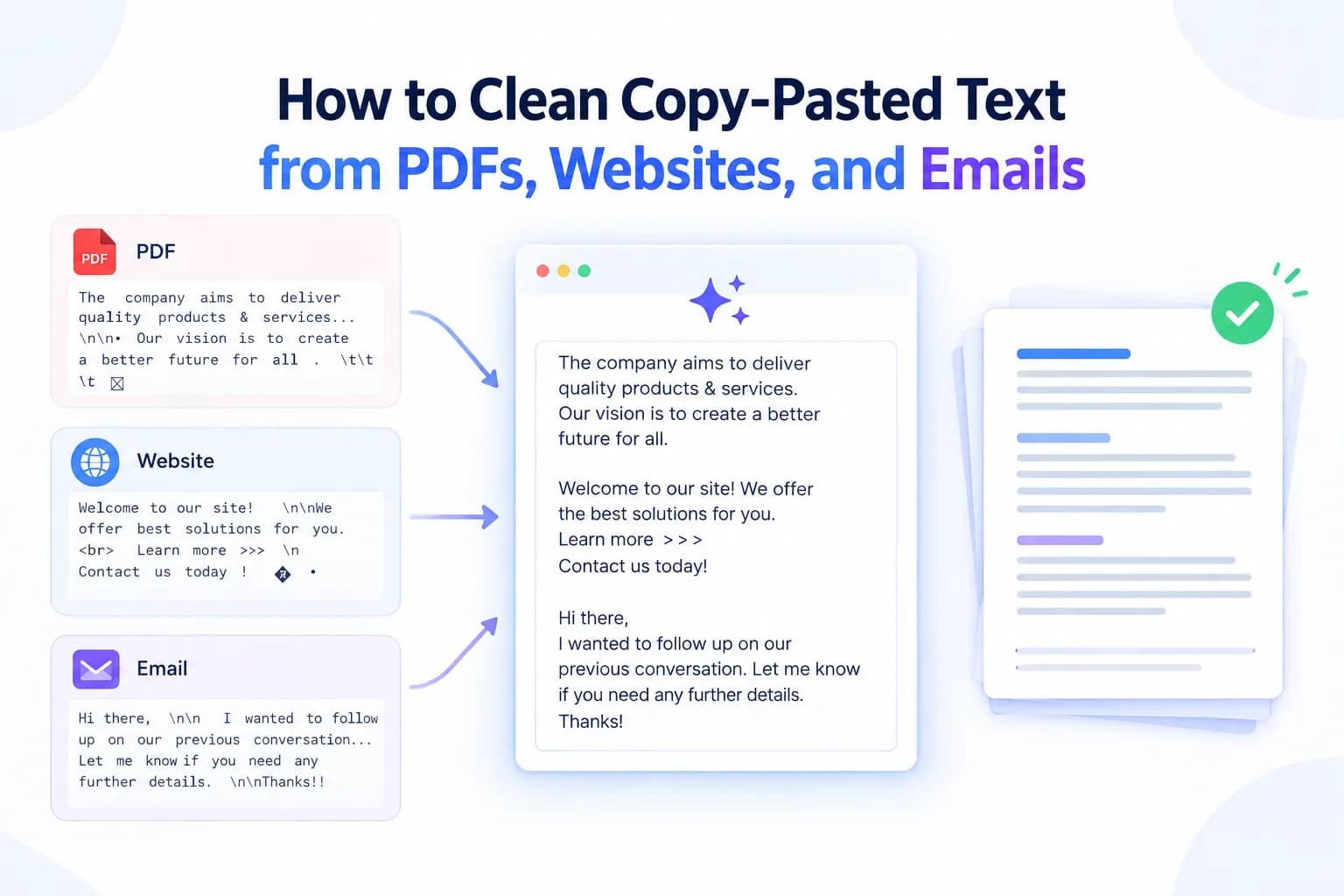
Copying text from a PDF, website, email, or online document can save time—but the pasted content often comes with unwanted formatting. Extra spaces, broken line breaks, strange characters, inconsistent fonts, and hidden formatting can make otherwise useful text difficult to edit or publish.
This is where an Online Text Cleaner can help. Instead of manually fixing every paragraph, you can clean copied content quickly and prepare it for documents, websites, spreadsheets, emails, or other platforms.
In this guide, you'll learn how to clean copy-pasted text, why formatting problems happen, and how a Free Online Text Cleaner can simplify the process.
Why Does Copy-Pasted Text Become Messy?
When you copy text from one platform to another, you may also copy invisible formatting and structural information.
For example, text copied from a PDF may contain:
Unnecessary line breaks
Multiple spaces between words
Strange symbols or characters
Inconsistent paragraph spacing
Broken sentences
Unwanted tabs
Hidden formatting
Unusual Unicode characters
Websites can introduce similar problems because the visible text may contain HTML formatting, links, special characters, or spacing that is not obvious until you paste it somewhere else.
Emails can also contain formatting from rich-text editors, signatures, tables, and different fonts.
The result is text that looks fine in one application but becomes messy when moved into another.
What Is an Online Text Cleaner?
An Online Text Cleaner is a browser-based tool designed to remove unwanted elements from text and make it cleaner and easier to use.
Depending on the tool, you may be able to remove extra spaces, unnecessary line breaks, special characters, and other formatting issues without manually editing the entire text.
An online tool is especially useful when you regularly copy content from different sources and need to standardize it before using it elsewhere.
A Free Online Text Cleaner can be particularly useful for students, writers, marketers, researchers, office professionals, and website owners who need a quick way to clean text without installing additional software.
How to Clean Copy-Pasted Text from a PDF
PDFs are one of the most common sources of messy copied text. A PDF may visually display a clean paragraph, but copying it can produce unexpected line breaks or spacing.
Step 1: Copy the required text
Select the section you need from the PDF and copy it.
Step 2: Paste the text into a text-cleaning tool
Open an Online Text Cleaner and paste your copied content into the input area.
Step 3: Remove unwanted formatting
Look for unnecessary spaces, broken line breaks, special characters, or other unwanted elements.
Step 4: Review the cleaned text
Read through the result to make sure sentences, headings, lists, and important information remain correct.
Step 5: Copy and reuse
Once the text is clean, copy it into your document, website editor, spreadsheet, CMS, or email.
How to Clean Text Copied from Websites
Website content can contain formatting that is difficult to see while browsing.
For example, copying an article may bring along extra spaces, unnecessary line breaks, special characters, or formatting-related elements.
A simple workflow is:
Copy the required website text.
Paste it into an Online Text Cleaner.
Remove unwanted spaces and characters.
Fix unnecessary line breaks.
Review the cleaned version.
Paste the final text into your destination platform.
This is especially useful for researchers, content writers, SEO professionals, and marketers who frequently collect information from multiple online sources.
Remember that cleaning formatting does not give you permission to republish copyrighted content. Always respect the original source, licensing requirements, and attribution rules.
How to Clean Text from Emails
Email content can become messy when copied between different email clients or editors.
Signatures, tables, multiple spaces, formatting codes, and line breaks can affect the final result.
If you're transferring information from an email into a document or CMS, paste the content into a text cleaner first. Cleaning the text can help create a more consistent format before you continue editing.
This is particularly useful when converting email instructions into:
Blog content
Internal documents
Meeting notes
Reports
Product descriptions
Marketing materials
Why Clean Text Matters for SEO
Clean text is not a magic ranking factor, but good formatting can improve the overall usability and readability of content.
For SEO, your priority should be clear information, logical structure, useful answers, and a good experience for readers.
Clean content can make it easier to:
Organize headings and paragraphs
Remove distracting formatting
Improve readability
Prepare content for a CMS
Standardize text across pages
Edit content efficiently
A clean workflow is also helpful when preparing content for SEO, AEO, and GEO.
SEO
Search engine optimization focuses on making useful content discoverable and understandable for search engines and users.
AEO
Answer Engine Optimization focuses on providing clear, direct answers that can be easily understood and surfaced by answer-oriented search experiences.
GEO
Generative Engine Optimization focuses on creating useful, structured, trustworthy information that can be understood and referenced by AI-powered search and generative systems.
Clean formatting supports all three by making your content easier to organize, review, and structure—but quality and usefulness should remain the primary goals.
A Simple Text-Cleaning Workflow
For regular content work, use this five-step process:
Copy → Clean → Review → Format → Publish
First, copy the required information from the original source. Then use an Online Text Cleaner to remove unwanted formatting. Review the cleaned text carefully for missing words or errors. After that, apply the formatting required by your destination platform.
Finally, publish or share the content only after checking accuracy, originality, and source requirements.
Using a tool such as CorrectifyAI can make the text-cleaning stage faster and reduce repetitive manual formatting work.
Final Thoughts
Copy-pasted text often contains hidden formatting problems that are difficult to notice until you try to edit or publish it. PDFs, websites, and emails can all introduce unnecessary spaces, line breaks, special characters, and inconsistent formatting.
Instead of cleaning every paragraph manually, an Online Text Cleaner provides a faster way to prepare copied content for further editing.
For students, writers, marketers, researchers, and professionals, a Free Online Text Cleaner can be a practical part of a simple content workflow: copy the text, clean it, review it, format it, and then use it where needed.
The key is not simply to make text look cleaner. Always review the final content for accuracy, originality, context, and proper attribution before publishing or submitting it.
Frequently Asked Questions
1. What is an Online Text Cleaner?
An Online Text Cleaner is a web-based tool that helps remove unwanted formatting, extra spaces, unnecessary line breaks, special characters, and other text-cleaning issues.
2. Can I clean text copied from a PDF?
Yes. You can copy text from a PDF and paste it into a text-cleaning tool to remove common formatting problems such as unnecessary spaces and broken line breaks. Always review the cleaned text afterward.
3. Is a Free Online Text Cleaner useful for website content?
Yes. It can help clean copied text before moving it into a CMS, document, spreadsheet, email, or other editor. However, cleaning formatting does not remove copyright or attribution requirements.
4. Does cleaning text improve SEO?
Clean formatting can improve readability and make content easier to organize, but text cleaning alone does not guarantee better rankings. Useful, accurate, well-structured, and search-intent-focused content remains more important for SEO.
5. Can an Online Text Cleaner remove hidden characters?
Many text-cleaning tools can identify or remove certain unwanted characters and formatting elements. The exact capabilities depend on the tool, so always review the output before using cleaned text.